What is an ImGui builder?
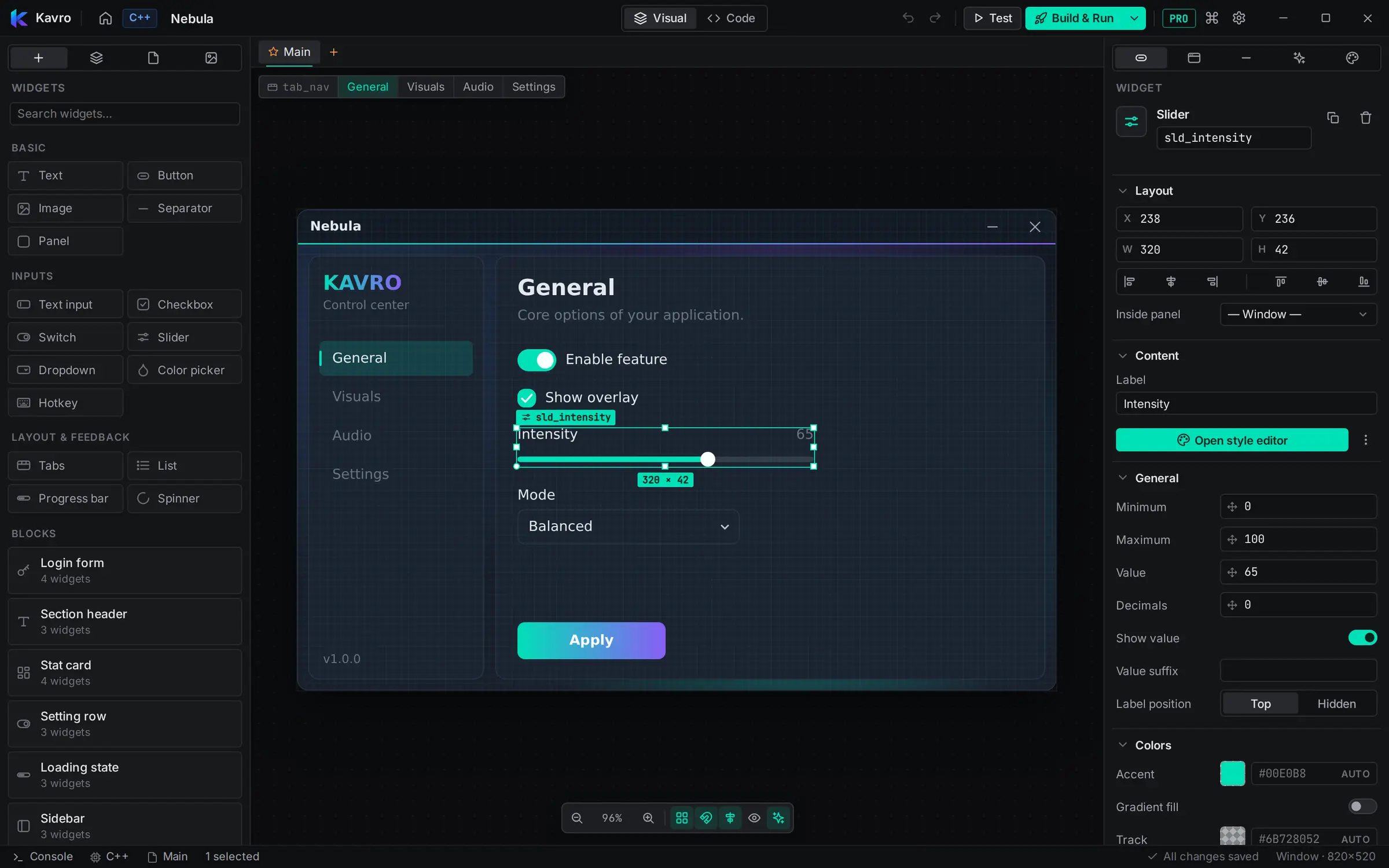
Dear ImGui is fast and simple, but laying out a window by hand means guessing positions with SetCursorPos, writing styling code, and recompiling to see whether a button moved four pixels. An ImGui builder replaces that loop with a canvas: you place and style widgets visually, and the builder writes the code.
By hand vs. with Kavro
| Writing Dear ImGui by hand | Kavro, the ImGui builder | |
|---|---|---|
| Layout | Guess positions, recompile, repeat | Drag widgets, snap to a grid and smart guides |
| Styling | Write ImGuiStyle code for every color | One-click themes and a style editor per widget |
| Trying it out | Build and run your app | Test mode (F6) right in the editor |
| Languages | One codebase per language | Generate C++, C# or Rust from one design |
| Getting an .exe | Set up a project and build system | Build & Run (F5) creates it for you |
How it works
- Start a project — a window (menus, tools, overlays) or a loader (login → select → launch), from a blank canvas or a template.
- Drag in widgets — text, buttons, checkboxes, switches, sliders, dropdowns, color pickers, hotkeys, tabs, lists, progress bars and more, plus ready-made blocks.
- Style it — pick a theme, then fine-tune colors, rounding, fonts and animated backgrounds.
- Test it — F6 runs the window inside Kavro, so you can click everything.
- Export or build — get the source, or press F5 to compile a native Windows app.
The code it writes
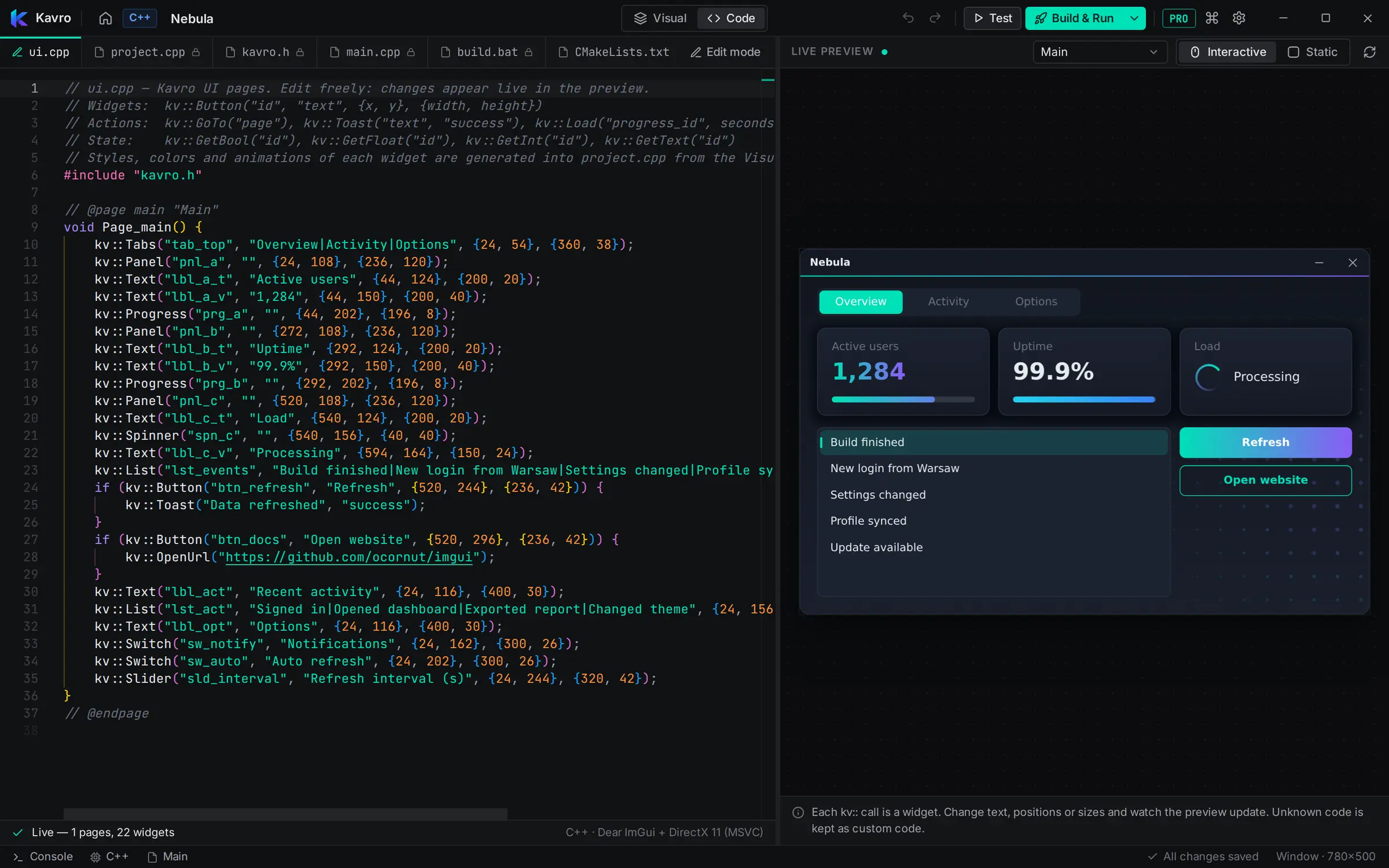
Your UI is readable code, one call per widget — edit it and the canvas updates, or the other way round:
#include "kavro.h"

// @page main "Main"
void Page_main() {
    kv::Text("lbl_title", "Game Settings", {32, 64}, {400, 34});
    kv::Checkbox("chk_1", "V-Sync", {31, 151}, {200, 24});
    kv::Switch("sw_1", "Fullscreen", {31, 190}, {200, 24});
    kv::Slider("sld_1", "Volume", {31, 232}, {260, 40});
    kv::Button("btn_1", "Apply", {31, 301}, {160, 40});
}
// @endpage| Language | Stack | Builds with |
|---|---|---|
| C++ | Dear ImGui + DirectX 11 | MSVC (Visual Studio) |
| C# | ImGui.NET + Silk.NET | .NET 8 |
| Rust | imgui-rs + glium | Cargo |
Questions
What is an ImGui builder?
A visual editor for Dear ImGui interfaces: instead of placing widgets with code and recompiling to see the result, you design the window on a canvas and the builder generates the Dear ImGui code.
Is the code real Dear ImGui?
Yes. Kavro generates projects that use Dear ImGui (C++ with DirectX 11), ImGui.NET (C#) and imgui-rs (Rust). Your UI is plain calls like kv::Button(...) on top of a small runtime, and you can edit that code — the canvas updates with it.
Can I use it in my existing project?
Yes. With Kavro Pro you can export the source and add it to your project, or let the AI tab add the menu to your own code.
Which platforms does it run on?
Kavro runs on Windows 10 and 11. Building C++ needs Visual Studio with the C++ workload, Rust needs Cargo and C# needs the .NET 8 SDK — Kavro finds them automatically.
Is it free?
You can design and test everything for free. Kavro Pro ($10 a month or $108 a year) adds Build & Run, source export, C# and Rust, all templates and the AI tab.